VyprVPN Review

VyprVPN is a popular VPN service created by Switzerland-based Golden Frog. This VPN has worked hard to establish itself as a trusted provider and advocate of internet privacy.
The provider has also been taking steps to improve its reliability, security, and quality of service based on customer requests. However, does VyprVPN really make the cut?
What Does VyprVPN Do?
| Overall Rank: | 37th out of 78 VPNs |
| Logging: | No logging – |
| Speed: | 17th out of 73 + |
| DNS Leaks: | None found + |
| Netflix: | 2 out 5 servers worked + |
| Torrenting: | Discouraging – |
| Compatibility: | Most devices (no TOR, though) + |
| Usability: | Good + |
| Servers: | 700+ servers in 70 countries + |
| Support: | Live Chat & Ticket system) + |
| Cost: | $5/mo and above |
VyprVPN’s primary mission, as stated on their website, is simple.
...protect your privacy online, secure your Internet connection and restore your freedom.
To accomplish this goal, they provide their users with access to the OpenVPN protocol (default) as well as PPTP, IPSec, and L2TP and they encrypt all of your data using the ultra-secure AES-256 encryption key (the same standard used by the FBI, CIA, and NSA).
But they don’t stop protecting your data there…
In recent years, draconian countries like North Korea and China have been cracking down on VPN users using something known as a ‘Deep Packet Inspection or DPI which scans metadata and searches for tell-tale signs that indicate someone is using a VPN.
Once they’ve caught onto your trail, these governments will begin to block or throttle your usage to ensure that you cannot successfully use a VPN for any purpose (legal or otherwise).
… Which is a big problem for many users.
In response to these recent crackdowns, VyprVPN developed a proprietary technology known as Chameleon™ that scrambles your metadata so that you can continue to use your VPN without getting picked up by the DPI scans.
If you’re using your VPN from a country like China, Russia, or Turkey, this can, quite literally, be a lifesaver.
Unfortunately, due to VPN restrictions by iOS, this technology is only available for Android, Windows, and Mac users (sorry iPhone users).
So far, things are looking great for VyprVPN…
But what about their logging policy?
With such a long and rich history of fighting for internet security and individual privacy rights, you would imagine that VyprVPN would provide a strict “Zero Logs” policy.
Initially, this wasn’t quite the case.
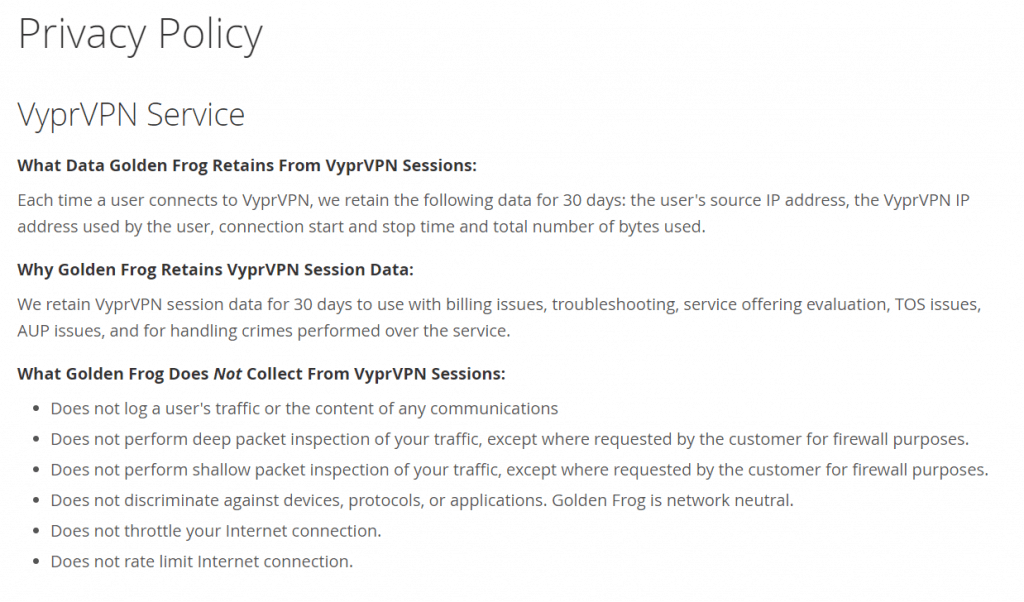
VyprVPN used to keep the following information for 30 days after your last session…
- VyprVPN IP address used by the user
- Connection start and stop time
- Total number of bytes used
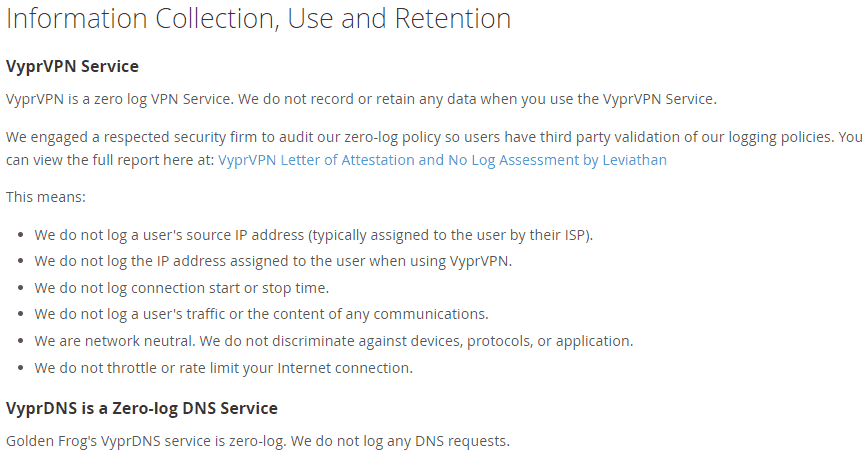
However, when we checked their policy again in March 2019 we found that they had changed their approach — and we can now confirm that they truly keep no logs:
It’s also important to consider that, even though Switzerland resides outside of the five, nine, and fourteen eyes countries, their data retention laws and internet privacy policies aren’t as favorable as many people claim and they could pose as a potential issue for some users.
Is VyprVPN Fast?
In a word?
… Yes!
Our benchmark speed test (without a VPN) clocked in with a 98 Mbps download speed and a 53 Mbps upload speed:
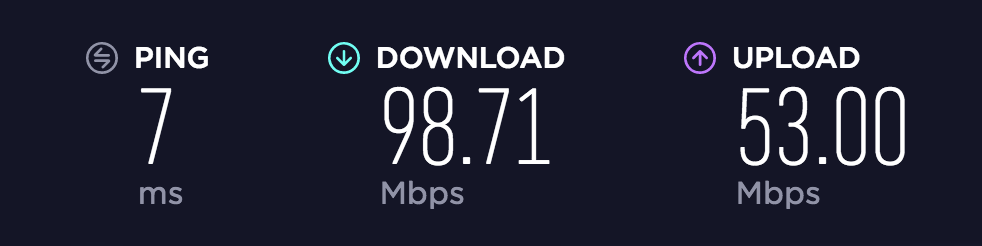
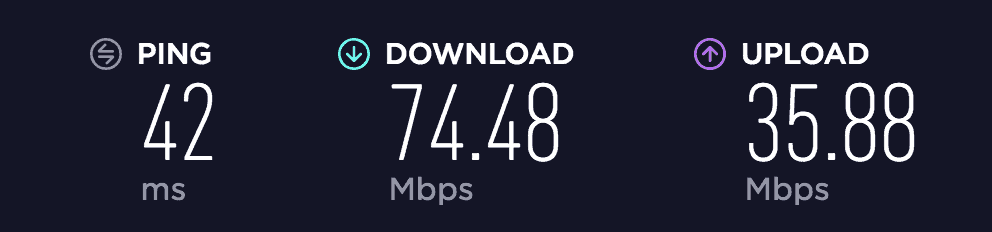
Here’s how it performed when we connected VyprVPN to an EU server.
Not too bad!
With a download speed of 74.48 Mbps VyprVPN slowed my connection by a little bit less than 24% which is more than acceptable.
However, some of their other servers didn’t fare quite as well…
US Server (New York)
- Ping: 131ms
- Download: 51.09 Mbps
- Upload: 3.17 Mbps
EU Server (Amsterdam)
- Ping: 42ms
- Download: 74.48 Mbps
- Upload: 35.88 Mbps
Asia Server (Hong Kong)
- Ping: 355ms
- Download: 54.29 Mbps
- Upload: 8.22 Mbps
UK Server (London)
- Ping: 53ms
- Download: 70.46 Mbps
- Upload: 37.47 Mbps
As you can see, VyprVPN’s EU servers are highly optimized and provide their users with rapid download and upload speeds.
… Their U.S. servers, on the other hand, leave something to be desired.
When I last reviewed VyprVPN it was the fourth fastest VPN out of the 70+ that have been reviewed here on thebestvpn.com
However…
Times have changed.
Although VyprVPN performs just as well as it always has, there have been a number of new additions to the VPN marketplace that have knocked VyprVPN out of the ranking for the fastest VPNs.
The lackluster speeds of their U.S. servers have caused VyprVPN to drop from the 4th fastest VPN down to the 18th (which is a far fall indeed).
With companies like Private Tunnel and ExpressVPN performing considerably faster than VyprVPN, Golden Frog will have their work cut out for them in the coming months to bring their U.S. servers back up to par and compete with the other major players in the VPN marketplace.
Is VyprVPN Safe?
In order to double check the privacy and safety of VyprVPN, I ran a couple of scans using IP and DNS Leak detection software to ensure that all of my information was indeed being kept private.
Here were the results that I found…
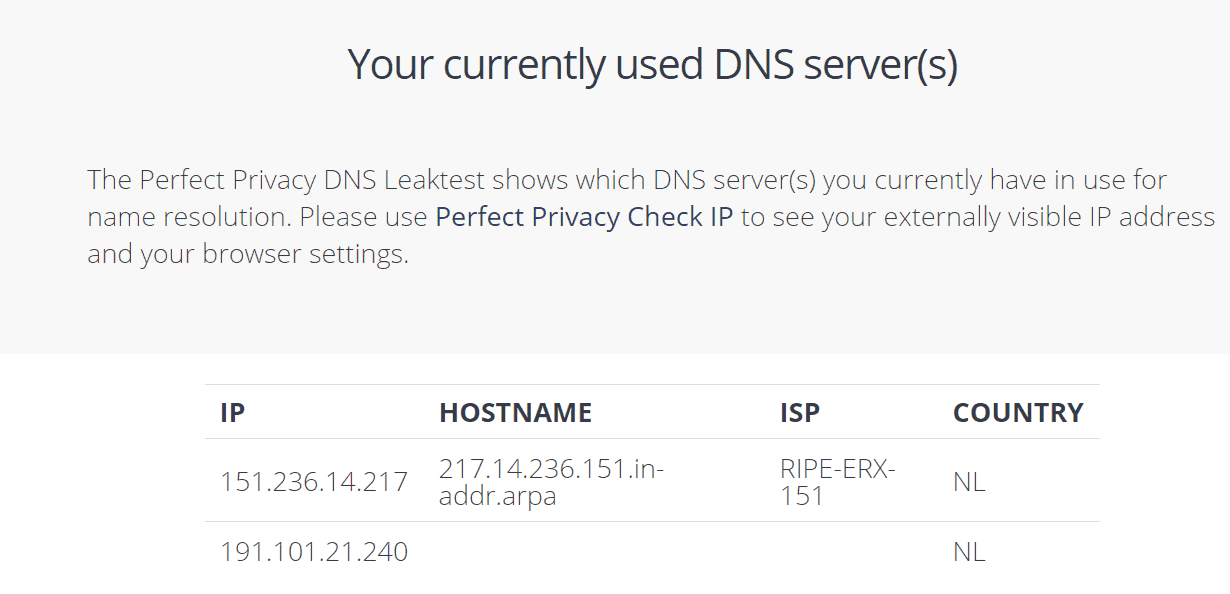
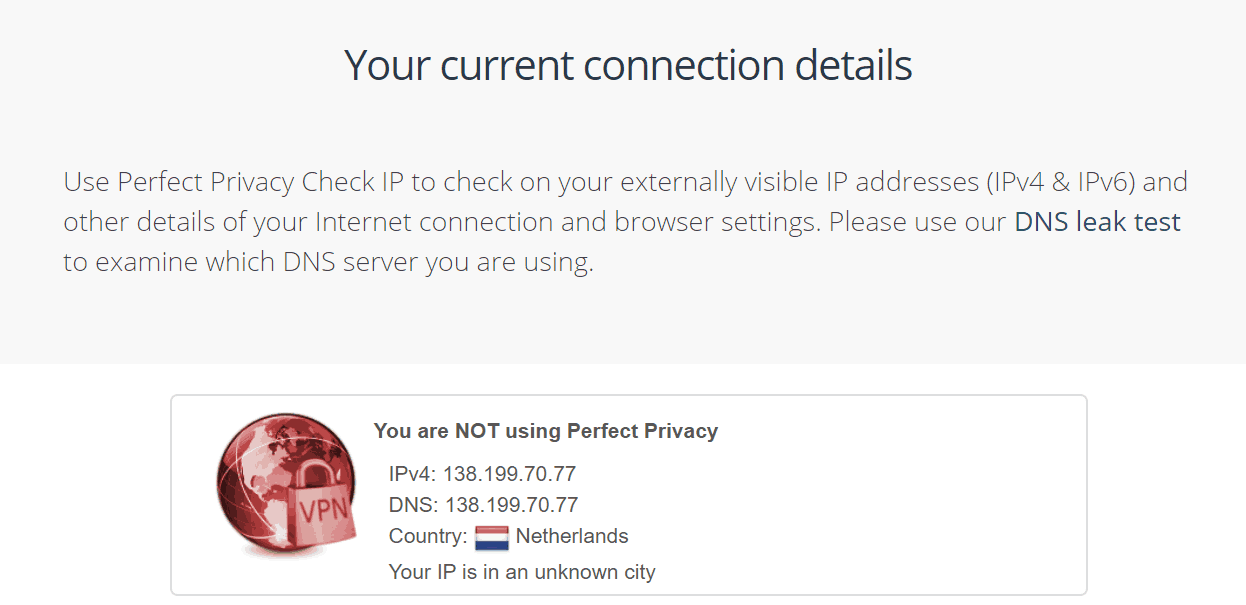
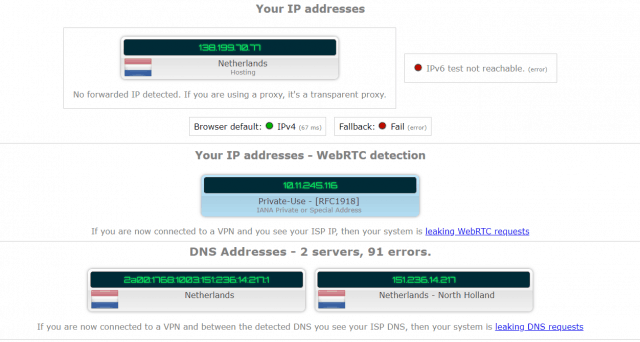
After running more than four tests, I can safely say that I had no IP nor DNS leaks while using VyprVPN.
…Which is a big win.
I also decided to run a scan using VirusTotal to ensure that GoldeFrog wasn’t injecting any malware or adware onto my device.
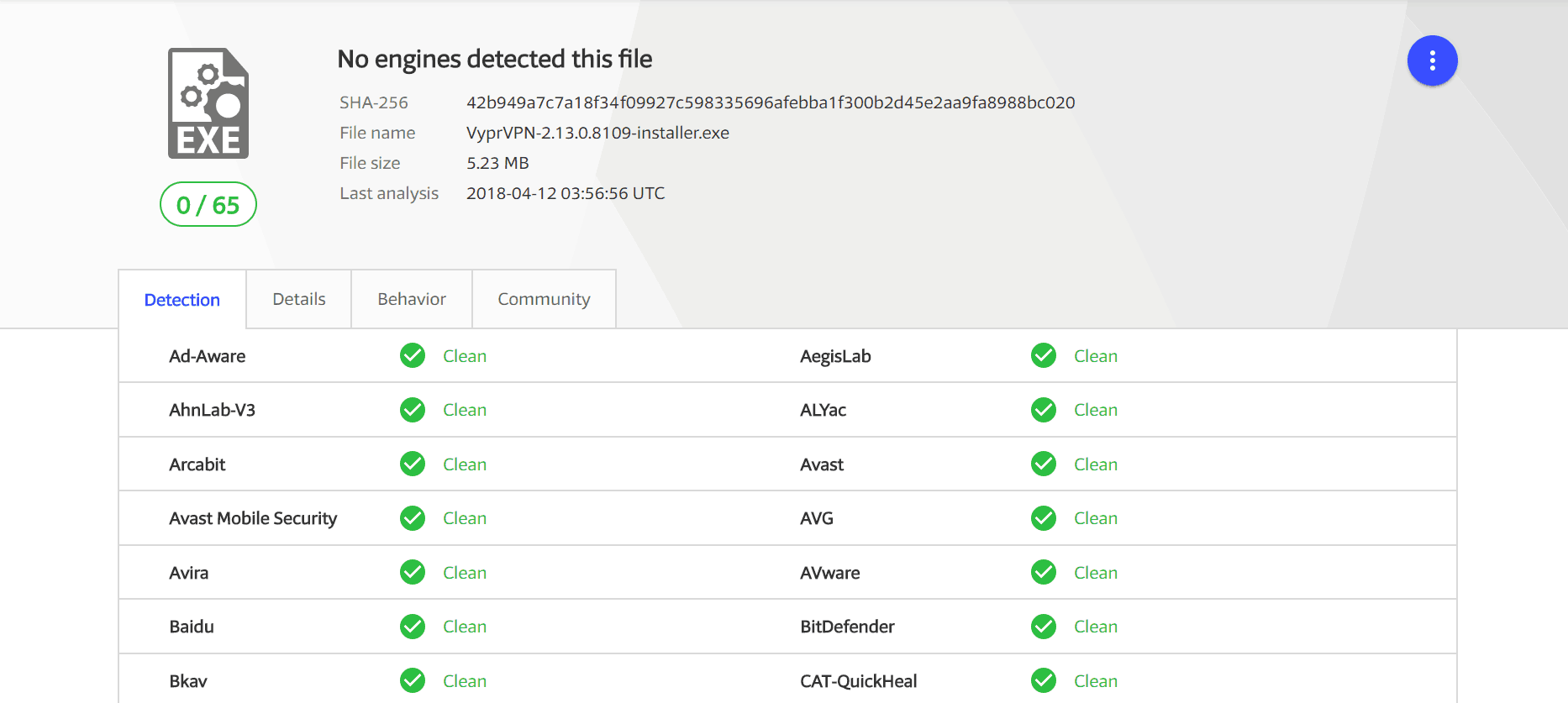
Again, everything checked out and I am happy to report that VyprVPN appears, for all intents and purposes, to be a safe VPN provider.
Does VyprVPN work with Netflix?
Ever since Netflix began geo-blocking on customers using a VPN to access location restricted movies and TV shows, it’s become increasingly difficult to find a VPN provider that allows you to stream content from Netflix.
I tested out VyprVPN’s Netflix compatibility using their variety of different servers across the United States and EU.
… Here were the results that I got.
- New York Server: Works like a charm! Videos load fast and I was able to stream without any problems.
- Chicago Server: Just like the New York server, I had no problem connecting to Netflix using VyprVPN’s Chicago server.
- United Kingdom: Blocked
- Canada: Blocked
- Netherlands: Blocked
While I was a little bit disappointed that I couldn’t stream nor unblock Netflix from any of their EU server locations, this is still a “Win” for Golden Frog considering just how rare it is to find a VPN provider that still works with Netflix.
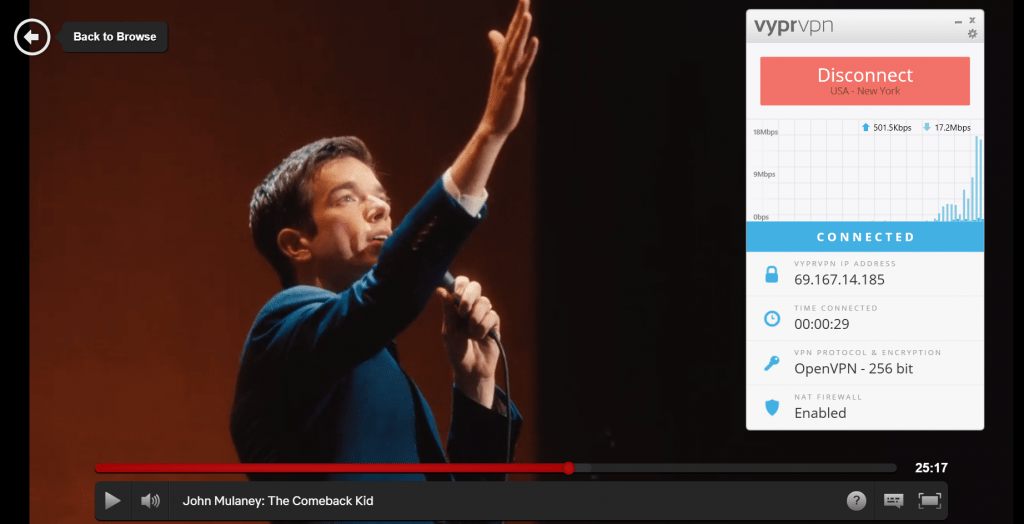
I was pleasantly surprised when I connected to their New York server and was able to load up John Mulaney’s Comeback Kid without so much as a 3-second buffer.
Is Torrenting Allowed?
Although VyprVPN and Golden Frog have kept fairly quiet regarding their opinion on P2P file sharing and torrenting, I was able to find the following statement on their help center.
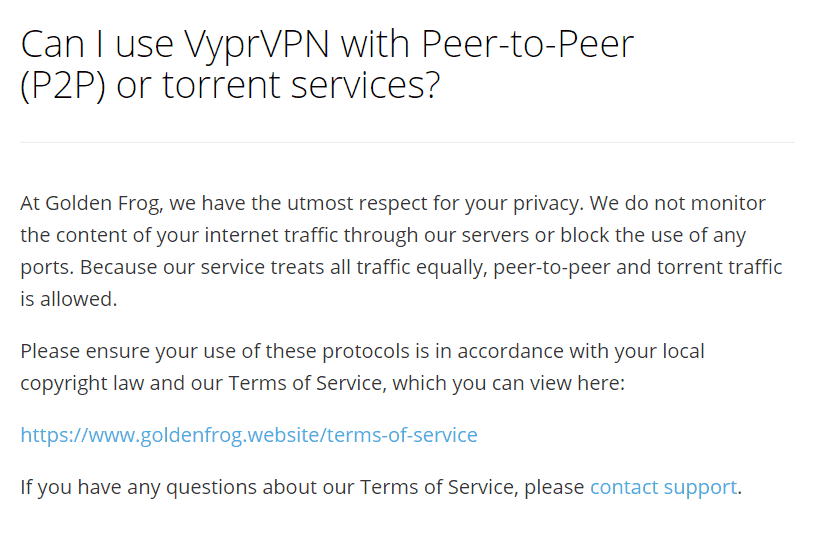
And this seems great.
Heck, VyprVPN even allows their customers to use BitTorrent clients and claim that they don’t actively monitor any of your network activity.
But there’s a catch…
When I dug a little deeper I found that many GoldenFrog clients were having their account suspended due to copyright infringement notices and the support team responded to these suspensions with the following statement.
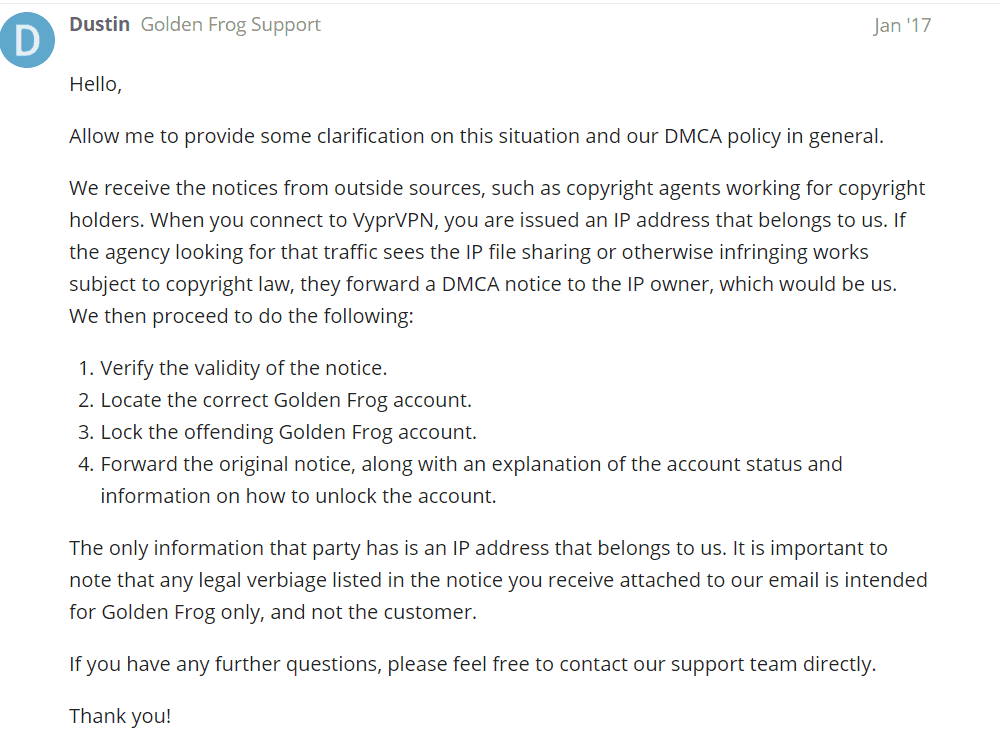
So even though you can technically torrent files with VyprVPN it’s important to note that if you break any copyright laws, you will likely have your account canceled or suspended (and unfortunately, there are no refunds).
What Devices Are Supported?
VyprVPN is compatible with all major devices including Android, iOS, Windows, Mac, and Linux.
In addition to these basic devices, VyprVPN also allows you to anonymize your router, Apple TV, and Android TV.
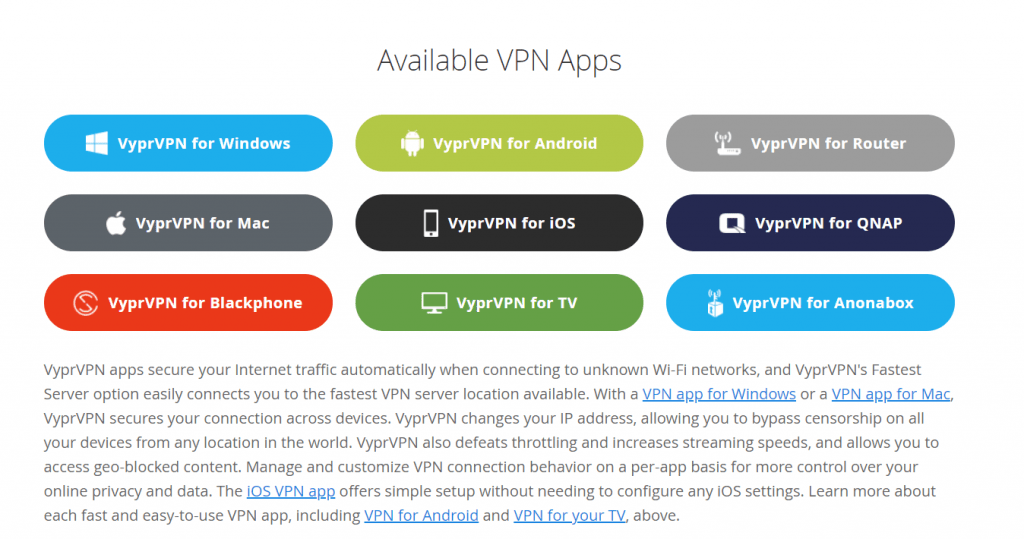
At this time, it does not appear that VyprVPN offers browser extensions for Google Chrome, Safari, or Internet Explorer (but no one uses that anyways… Right?)
In addition, VyprVPN is not compatible with TOR (the Orion Router) or any other third party proxies so if you’re looking to add an extra layer of anonymity and security to your VPN experience, you might need to look at some other providers.
Is VyprVPN Easy To Use (Usability)
One of the areas where VyprVPN really shines is in its usability…
I’ve tested out dozens of VPNs and of the 70+ applications that I’ve used, VyprVPN is by far one of the simplest and smoothest to use.
After clicking a few buttons and agreeing to their Terms of Service, VyprVPN is instantly downloaded to your device and you’re brought to their easy-to-use home interface.
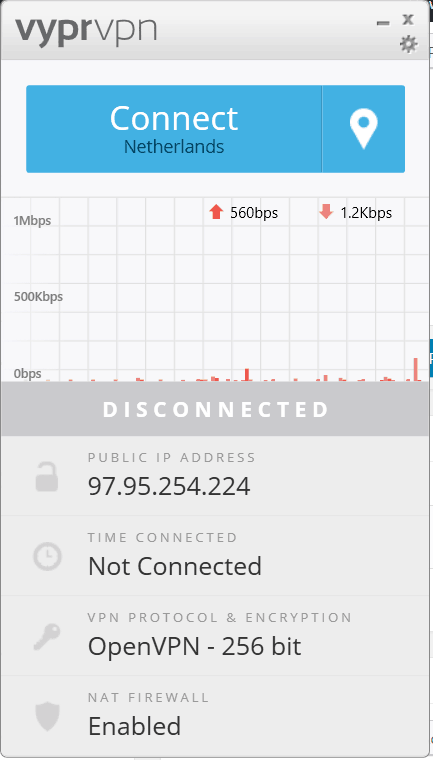 From here, it’s easy to access the settings menu and quickly change your connection, tunneling protocol, or DNS settings.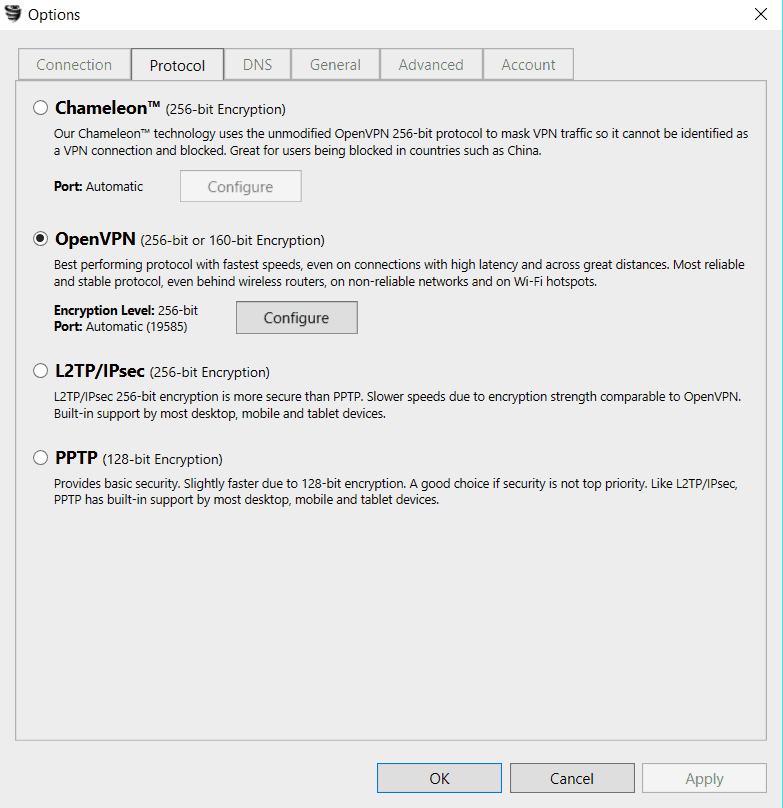
All in all, VyprVPN provides their customers with a simple and easy to use application that allows for effortless navigation and efficiency.
Servers & Additional Features
With more than 700+ servers spread across 70+ countries, VyprVPN offers their customers access to one of the largest networks and server parks that has ever been reviewed on this site.
In addition to this impressive figure, they are also one of the few VPN companies that write and host their own servers and DNS.
… Which is fantastic for user privacy.
This means that they own the ENTIRE network that you are using while connected to their VPN client and they are the only party who has any access to your private information.
Furthermore, they offer a fantastic killswitch feature which allows you to rest easy knowing that, even if you get disconnected from one of their servers (a problem I never encountered), all of your activities will be immediately shut down, preventing you or your information from being compromised.
Last, but not least
How is VyprVPN’s Customer Support?
One of the biggest improvements that VyprVPN has made since the last time I reviewed them is their customer support.
Previously, I was forced to endure more than a 14 hour response time (which was far from the advertised 24/7 support).
This time around, however, GoldenFrog seems to have gotten it right.
For the purposes of this review, I submitted three different support inquiries and received a response within ten minutes for each one.
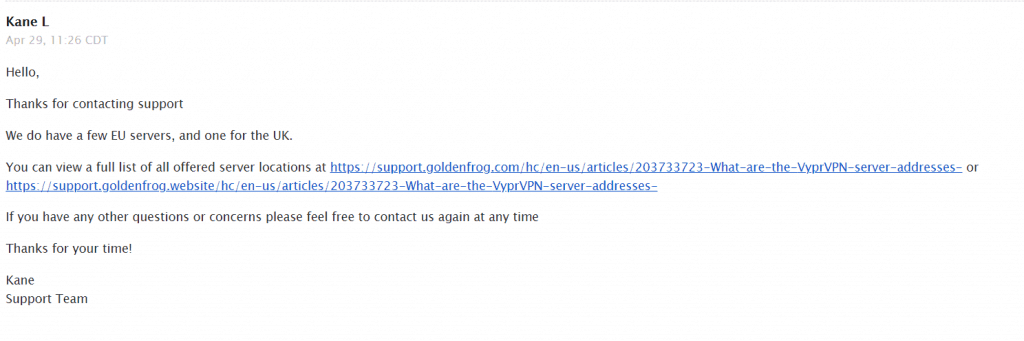
Here’s a screenshot of my second support ticket inquiring about which UK servers might be compatible with Netflix.
Since this didn’t really answer my question, I followed up again and received the following response. 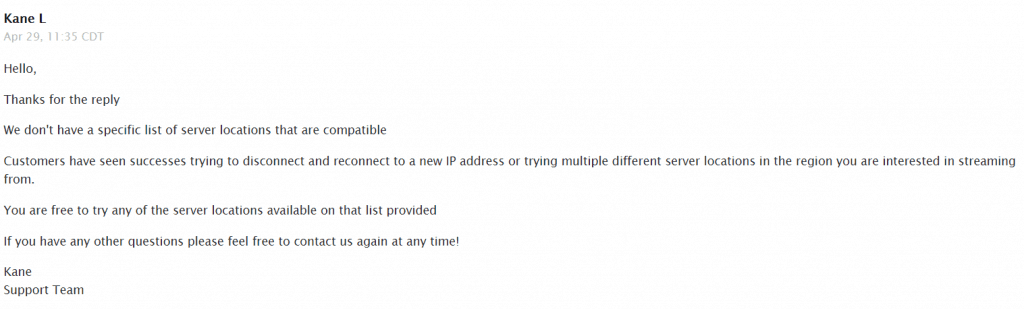
Although this wasn’t exactly the answer I was hoping to see, it was nice to see that VyprVPN had dramatically improved their response time even if the support team lacked some of the requisite knowledge to assist me in my inquiry.
More importantly, VyprVPN now offers live chat support for people who can’t afford to wait and want faster access to customer support.
VyprVPN Cost, Plans & Payment Methods
Unlike most of the big name VPNs on the market, VyprVPN doesn’t offer a “One Size Fits All” plan.
Instead, they offer two different subscriptions, basic and premium, to buy a VyprVPN:

The Basic Plan
- $60.00/year when you select the yearly plan ($5.00/mo)
- $9.95/mo for a monthly subscription
- 3 simultaneous connections
- Unlimited data usage
The Premium Plan
- $80.00/year when billed annually ($6.67/mo)
- $12.95/mo for a monthly subscription
- 5 simultaneous connections
- VyprVPN Cloud Included
- Chameleon Included
I’m not a fan of VPNs that offer basic vs. premium pricing plans but, for all intents and purposes, VyprVPN charges a fair price for their large server park, fast download speeds, and Netflix compatibility.
Since all plans come with a 3-day free trial (without bandwidth limit), VyprVPN does not offer refunds under any circumstances so be sure to test out their service as thoroughly as possible before committing to a yearly plan.
Luckily, canceling your VyprVPN trial or subscription is actually pretty simple, just follow the steps below:
- Log in to your control panel (URL)
- Click “Accounts” and then “Cancel Service”
- Answer why you want to cancel
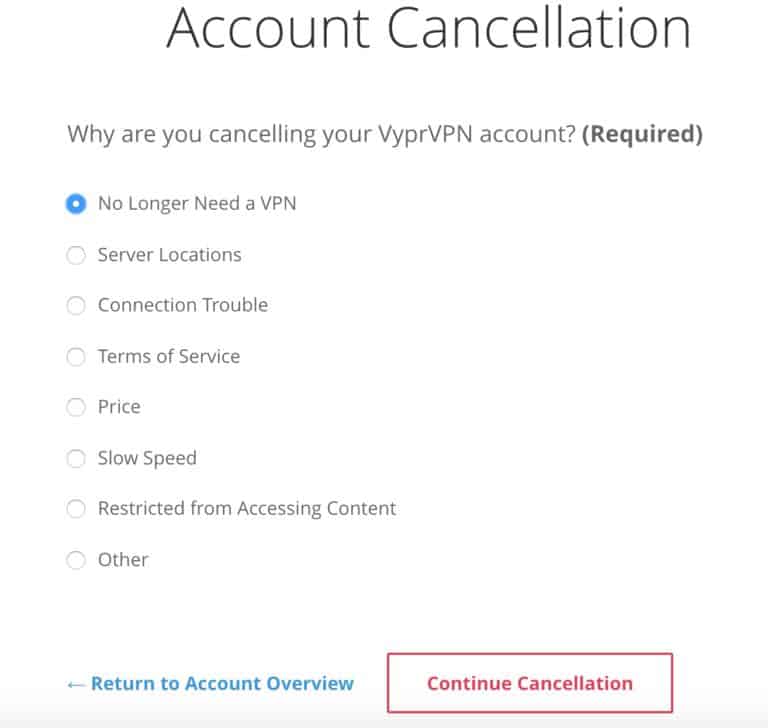
And that’s it!
Considering how many VPN providers offer shady refund terms and hidden charges, it’s refreshing to see that VyprVPN is straightforward and transparent about the entire payment process.
One final note to consider is that VyprVPN does not offer any anonymous payment options.
…You can only pay with a debit or credit card, PayPal, or AliPay.
Sorry Bitcoin fans, if you want to pay anonymously, VyprVPN is not the service for you.


Post a Comment